Sharper radar. Clearer warnings.
Free on every device.

FrankWeather draws live radar from the raw data itself — down to 250-meter detail — sends warnings for your places even when the app is closed, and puts the forecast models meteorologists use one tap away. No ads, no account, no paywall.

Get the right app. We’ll highlight this device; nothing downloads until you click.

Free for everyone — weather browsing without an account, no ads · community-supported · available on desktop and mobile · Windows v0.47.0

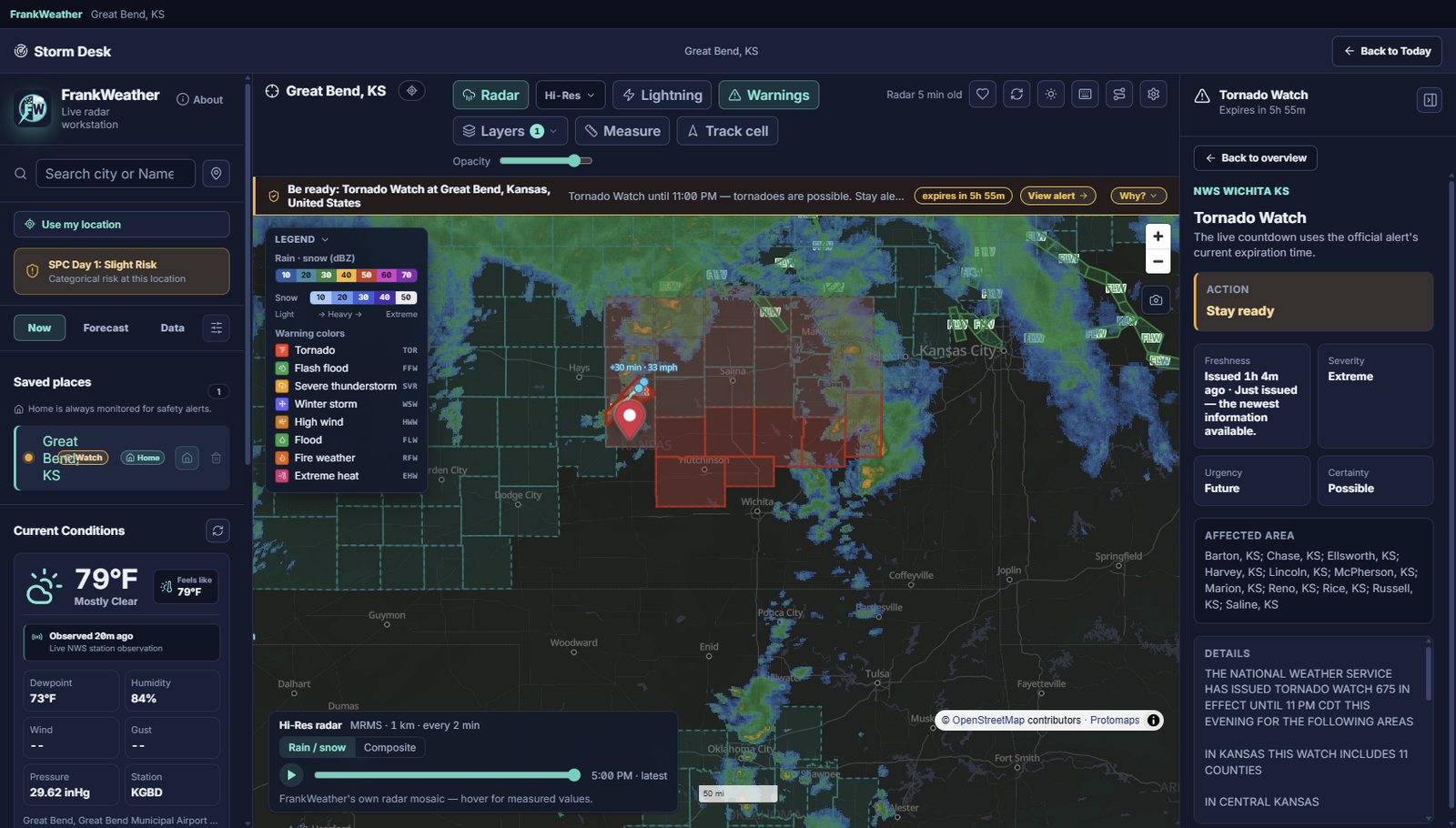
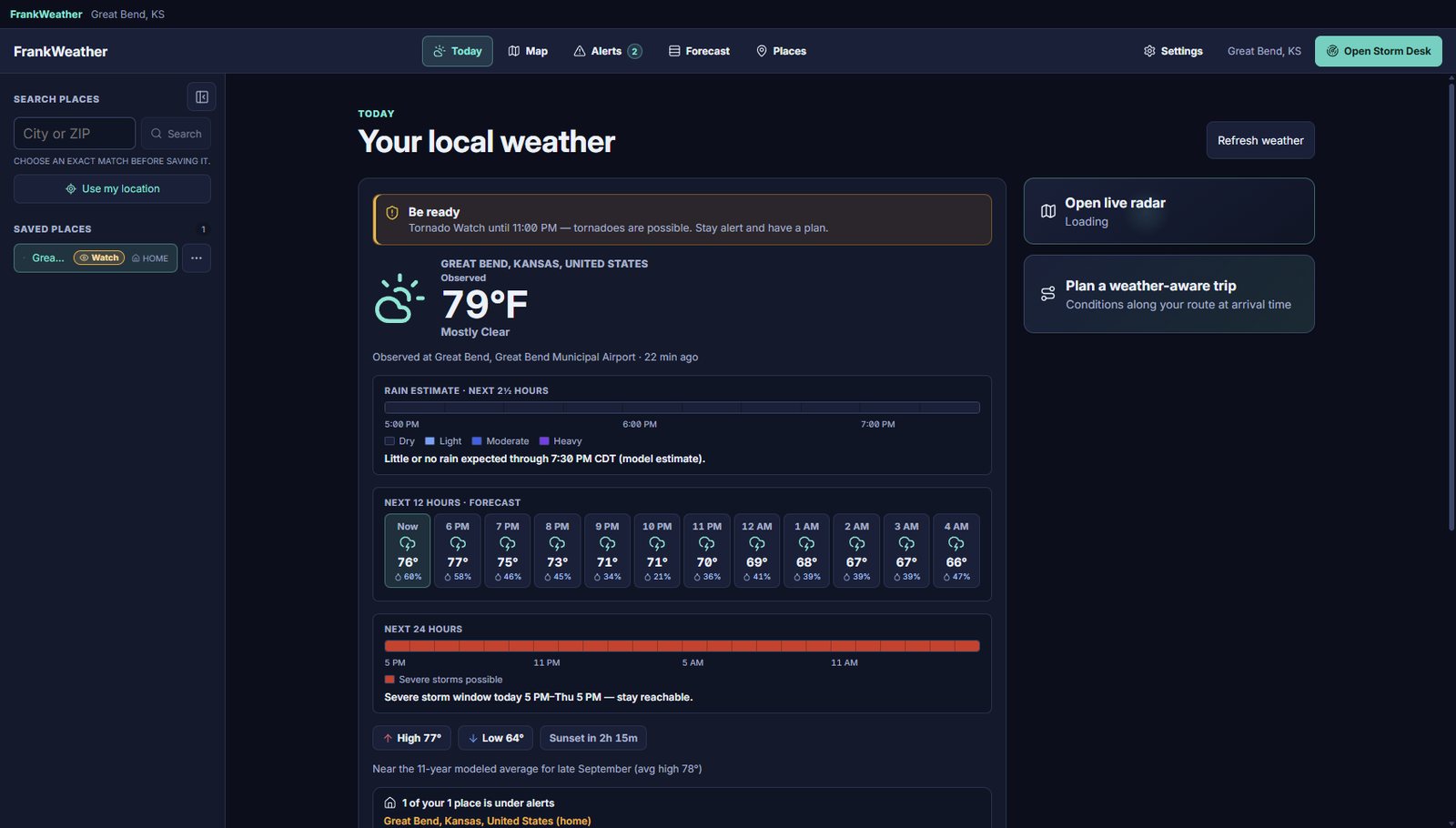
FrankWeather Storm Desk: Hi-Res radar over central Kansas with a tornado watch and the watch details panel

Built on official data: National Weather Service · NOAA NEXRAD & MRMS · GOES-19 · Storm Prediction Center · National Hurricane Center · ECMWF

See the storm at radar resolution.

FrankWeather no longer shows other services' pre-colored radar pictures. It reads the raw measurements — from NOAA's radars, satellites and forecast models — and draws them on your device's graphics chip with its own color scales. Sharper maps, and the number under your finger is the real measurement. Release notes →

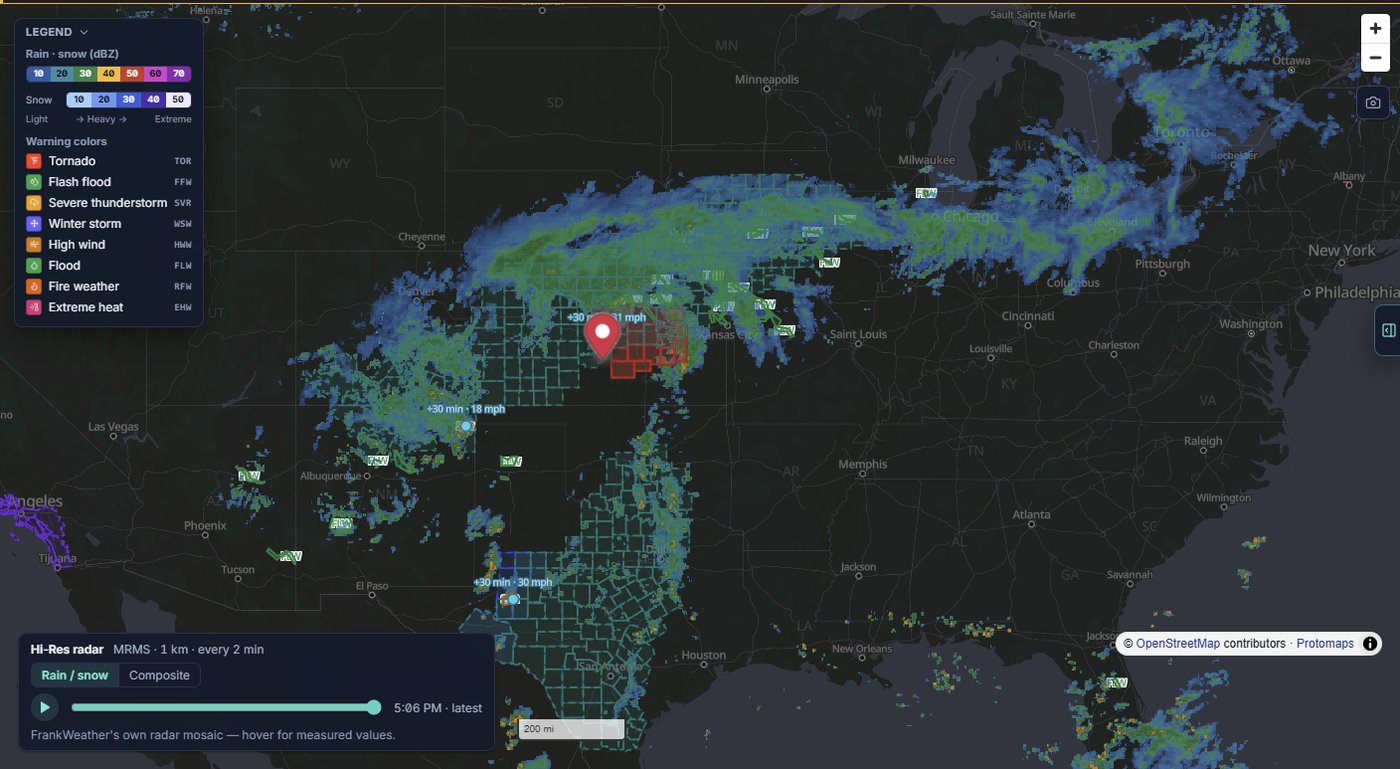
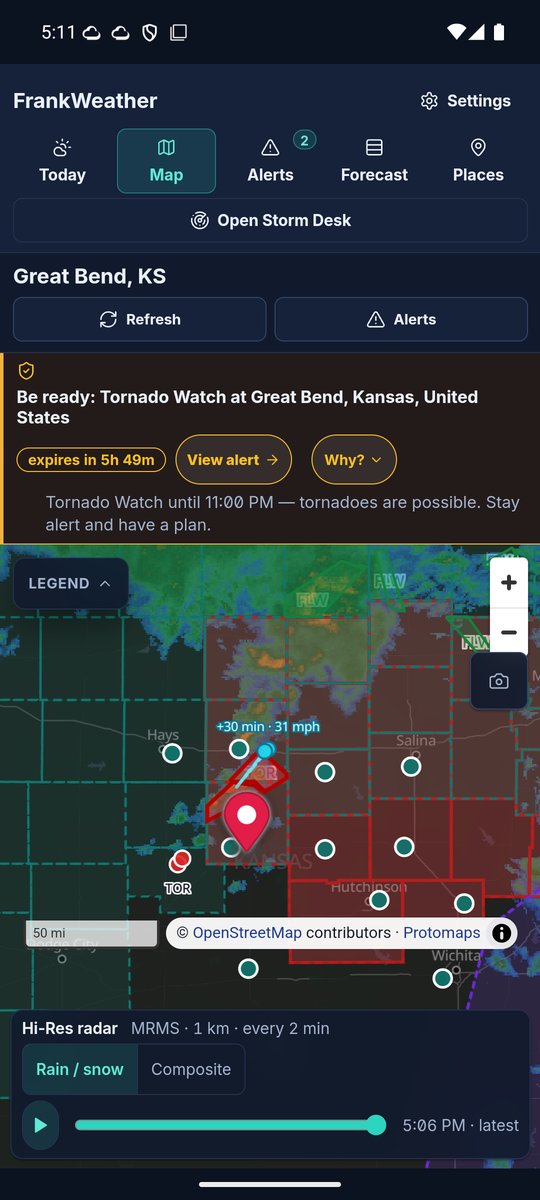
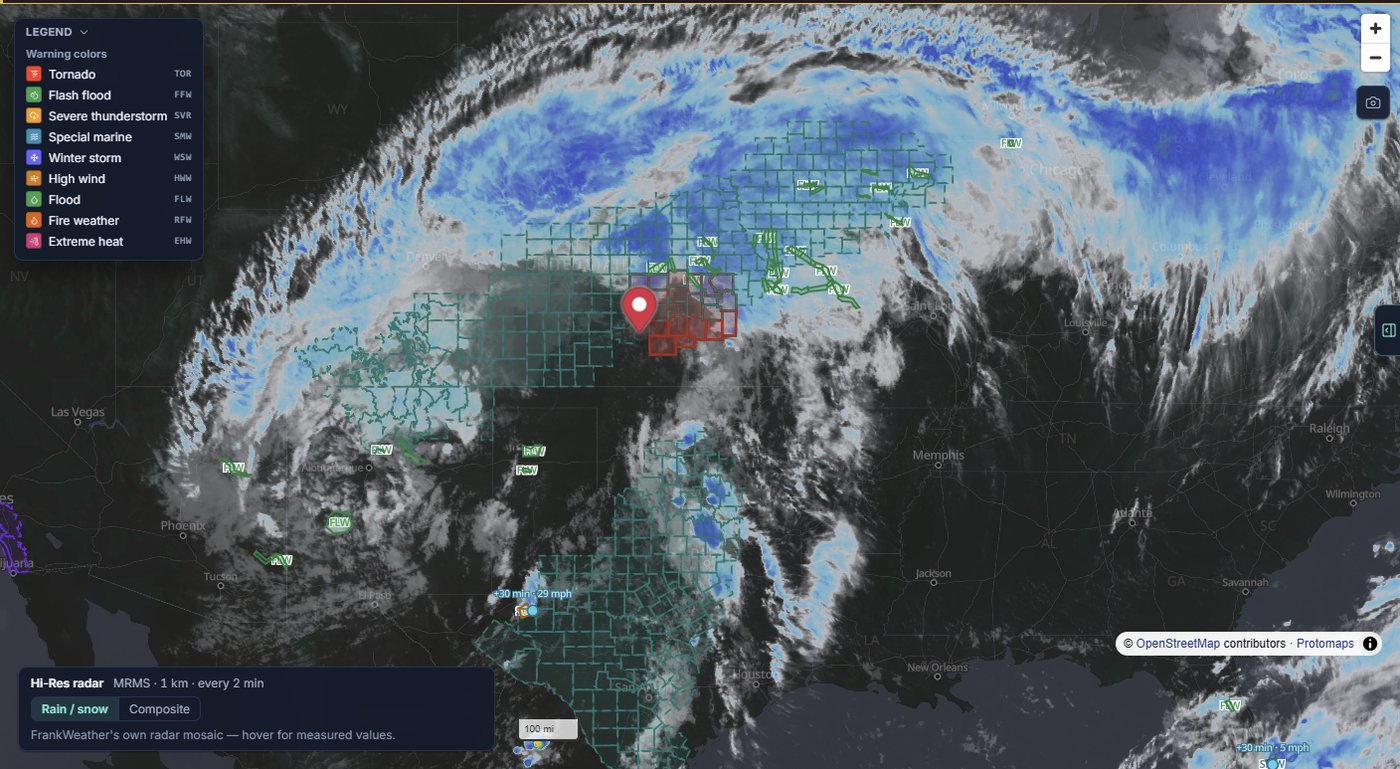
Hi-Res radar mosaic across the central and eastern United States with storms in Kansas, a tornado watch outlined, and the loop controls
Hi-Res radar · live NOAA MRMS data, September 30, 2026
The new default

Hi-Res radar

FrankWeather's own 1-kilometer radar mosaic, refreshed every 2 minutes and drawn on your device — so it stays crisp as you zoom, and loops smoothly.

  • Rain, snow and icy mix in different colors, so you can see where the line is
  • Hover or tap for the measured value — "42 dBZ · snow" — not a guess from a color
  • Composite mode shows the strongest echo in the storm, for spotting hail cores
1 km detailevery 2 min90-min loop
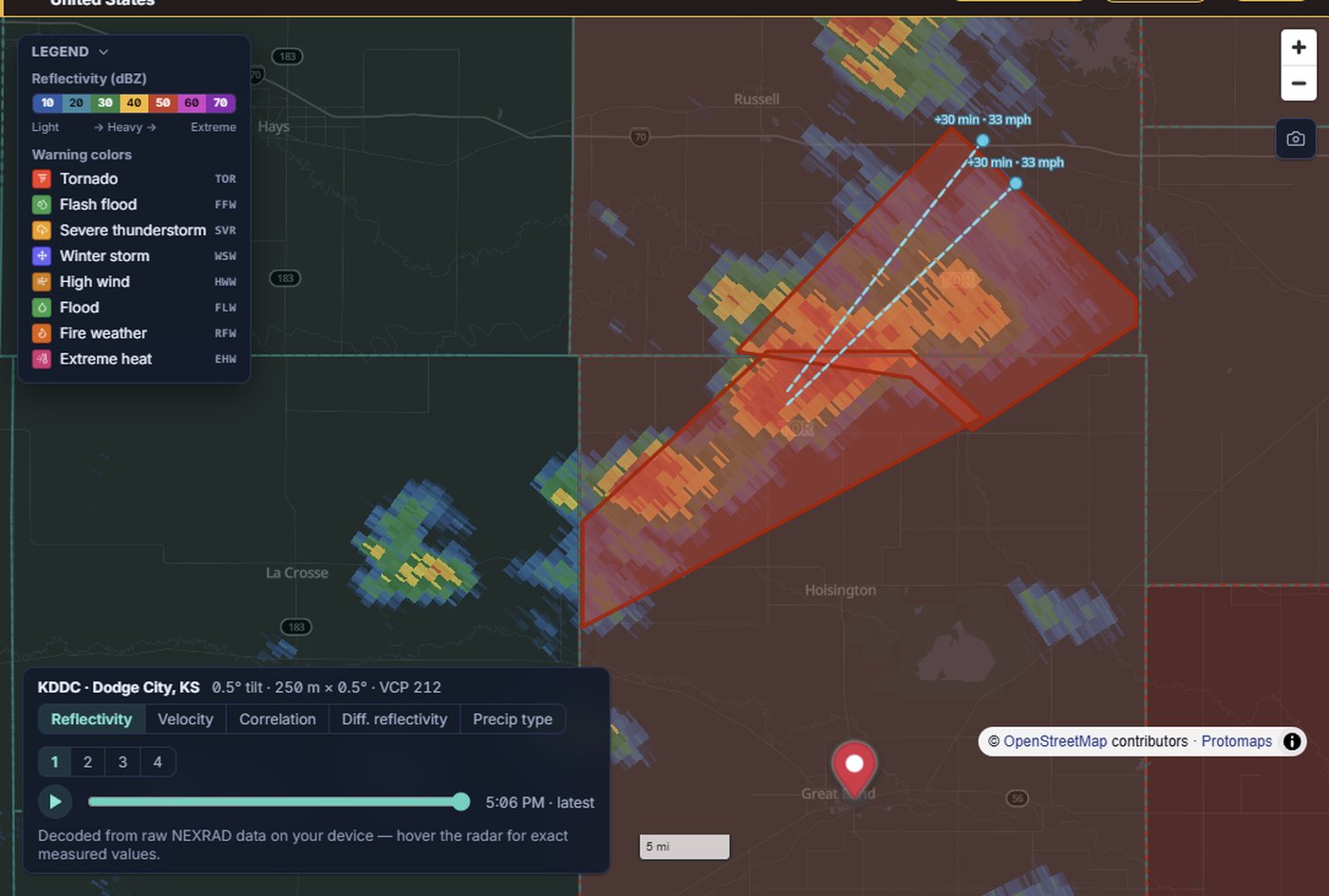
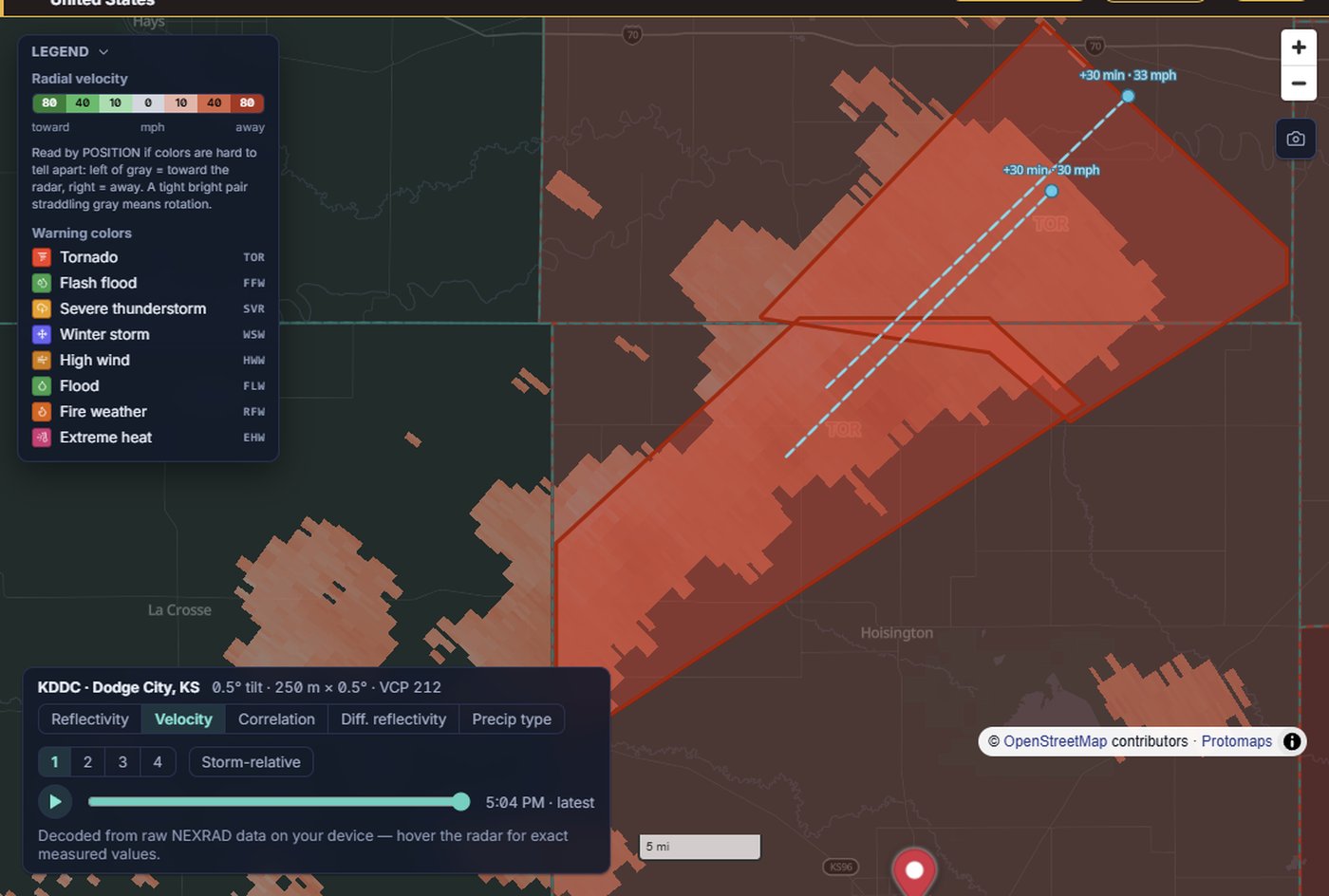
Super-resolution reflectivity from the Dodge City radar showing a tornado-warned storm near Hoisington, Kansas, with the warning polygon and storm track
Site radar, super-resolution · tornado-warned storm near Hoisington, KS
Eight times the detail

Super-resolution site radar

Zoom into a storm and switch to the nearest radar's own scans: 250-meter range gates every half degree, decoded on your device on Windows, iPhone, iPad and Android, and on Mac starting with 0.42.2.

  • Reflectivity, velocity with storm-relative mode, and four elevation tilts
  • Dual-pol: correlation coefficient for debris signatures, differential reflectivity, and the radar's own precipitation-type call
  • Ten-scan loops, exact values, and how high above the ground the beam is looking
250 m × 0.5°5 products4 tilts
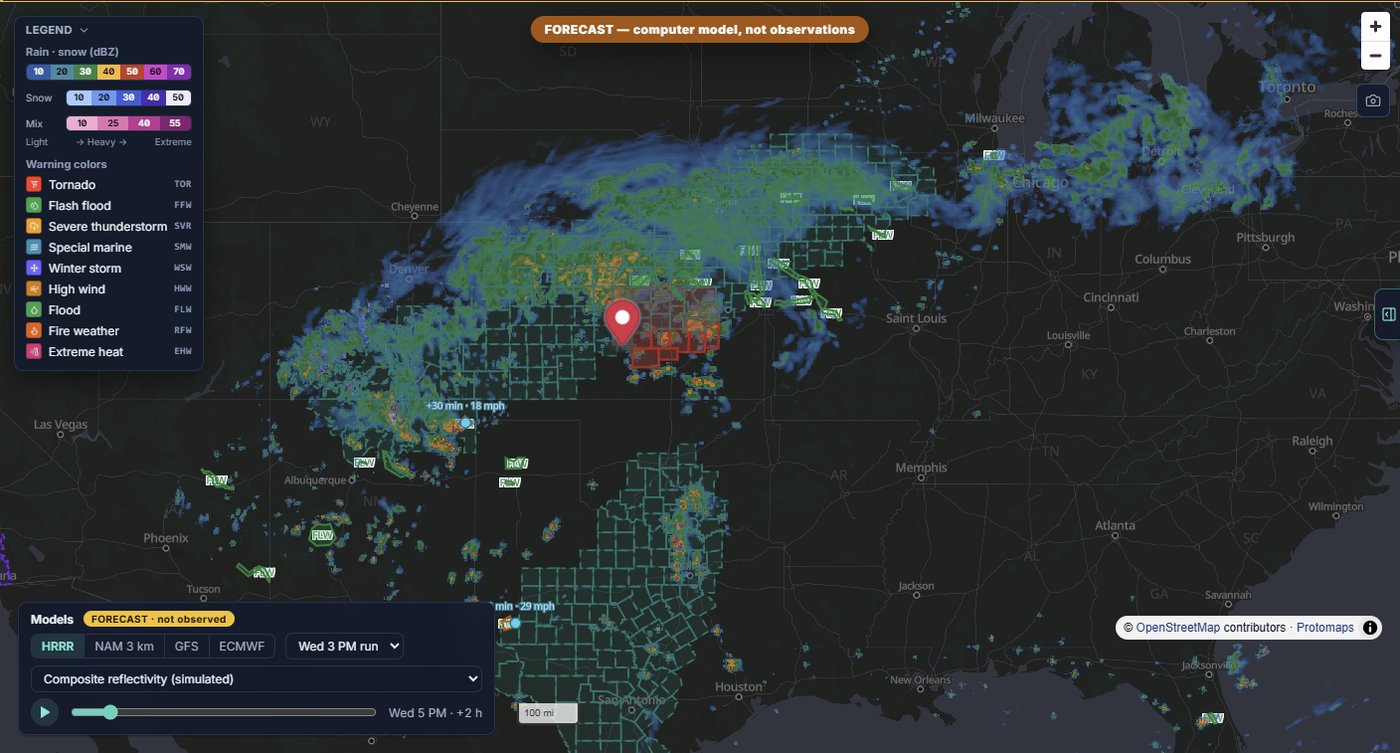
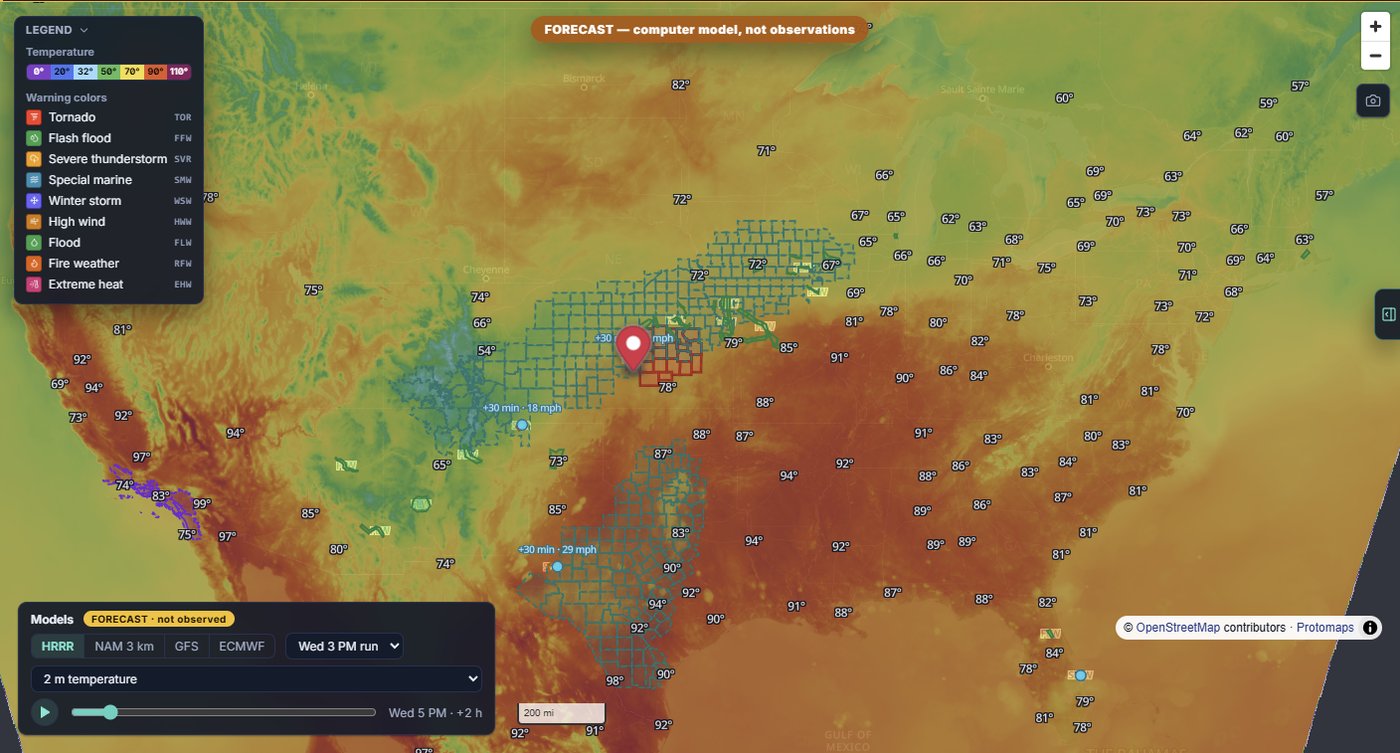
HRRR simulated radar forecast over the central United States with the forecast-hour scrubber and a Forecast — not observed badge
Models · HRRR simulated radar, two hours ahead
Forecasts, clearly labeled

The models meteorologists use

HRRR, NAM, GFS and ECMWF, rendered by FrankWeather with a forecast-hour scrubber — and always marked as a forecast, never mixed up with observed radar.

  • Simulated radar with rain, snow and ice, temperature, dew point, wind and gusts
  • Rain and snow totals, storm fuel (CAPE), sea-level pressure and 500 mb maps
  • City values, contours and wind arrows, with exact values under the cursor
Hail swaths and rotation tracks from the day's storms over central Kansas
Hail swaths and rotation tracks · past 24 hours
After the storm

Hail swaths, rotation tracks & high-resolution satellite

See where the largest hail likely fell and where radar detected rotation — the paths tornadoes were most likely to have taken — over the past hour or day.

  • Hail size estimates and low-level rotation from NOAA MRMS
  • Satellite every 5 minutes: 0.5 km visible, enhanced infrared that colors the tallest storm tops, and water vapor
  • Echo tops, rainfall totals for 1, 24 and 72 hours, and NWS forecast-office boundaries

Warnings reach you, even when the app is closed.

Turn on alerts in Settings → Home & alerts on iPhone or Android — no account needed. FrankWeather's alert service checks the National Weather Service every minute for Home and your saved places.

Alerts while the app is closed

Warnings arrive on your lock screen, grouped per place and named with your own nickname. Routine updates don't repeat the alert; real escalations do.

Know it works

An Alert readiness checklist with one-tap fixes, and a Send test alert button that confirms delivery to your phone.

Emergencies stand out

Tornado and Flash Flood Emergencies use a distinct tone; on iPhone they can break through Focus, and on Android through Do Not Disturb when you allow it.

Take-cover alarm & Storm Mode

On desktop and in the app, the most dangerous warnings sound an alarm, can be read aloud, and open a full-screen view with the countdown and what to do right now.

On your wrist & home screen

Apple Watch shows a color-coded alert; Wear OS gets alert actions. Widgets on iPhone, iPad and Android, clearly marked when data isn't current.

Plain-language context

What a warning means for you, how far away the storm is and when it could arrive, with the official NWS text one tap away.

FrankWeather is not an official warning system. Keep Wireless Emergency Alerts enabled on your phone.

Everyday weather. Room to explore.

Check what matters now, then open Storm Desk when the weather calls for it.

Your places, at a glance

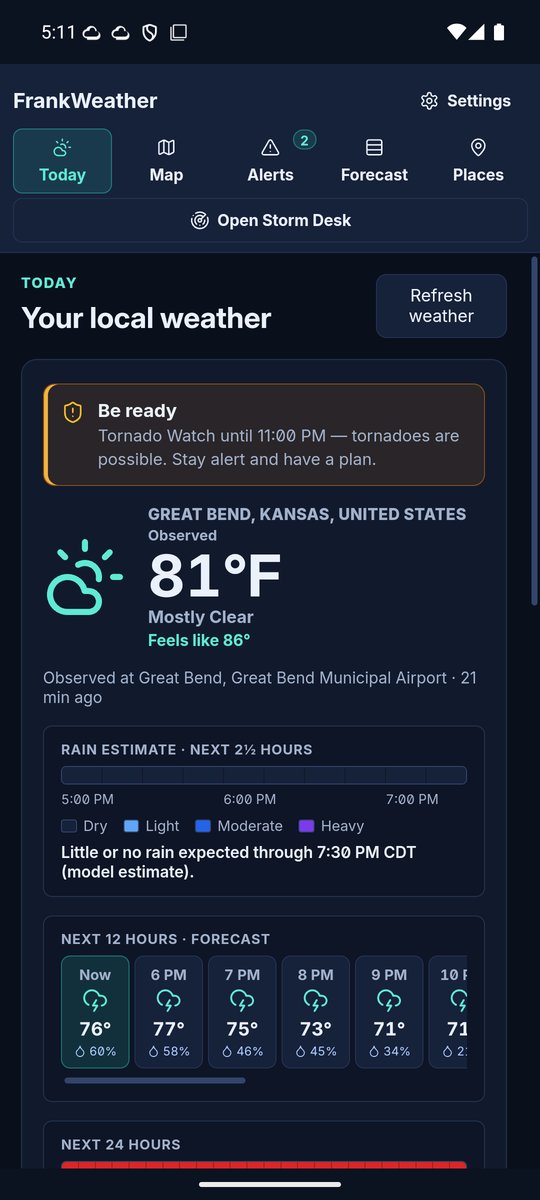
Current conditions, the next 12 hours, a 24-hour threat ribbon, rain timing for the next few hours, and the days ahead for every place you save.

Radar for every situation

Hi-Res, super-resolution site radar, velocity, composite, a radar archive going back years, and HRRR future radar — switch with one menu.

Official U.S. weather notices

NWS watches, warnings and advisories, SPC outlooks and mesoscale discussions, and storm reports, with the source text and plain-language context.

More than temperature

Lightning, air quality, river gauges, tropical systems, earthquakes, wildfires, drought and more where coverage is available.

A deeper Storm Desk

Storm-cell tracking with arrival times, ProbSevere, 3D storm columns, measuring tools, pop-out mini radar and a command palette on desktop.

Free across your devices

Windows, Mac, iPhone, iPad and Android, plus Apple Watch and Wear OS. No paid plan, no account for weather browsing, no ads.

Take a look

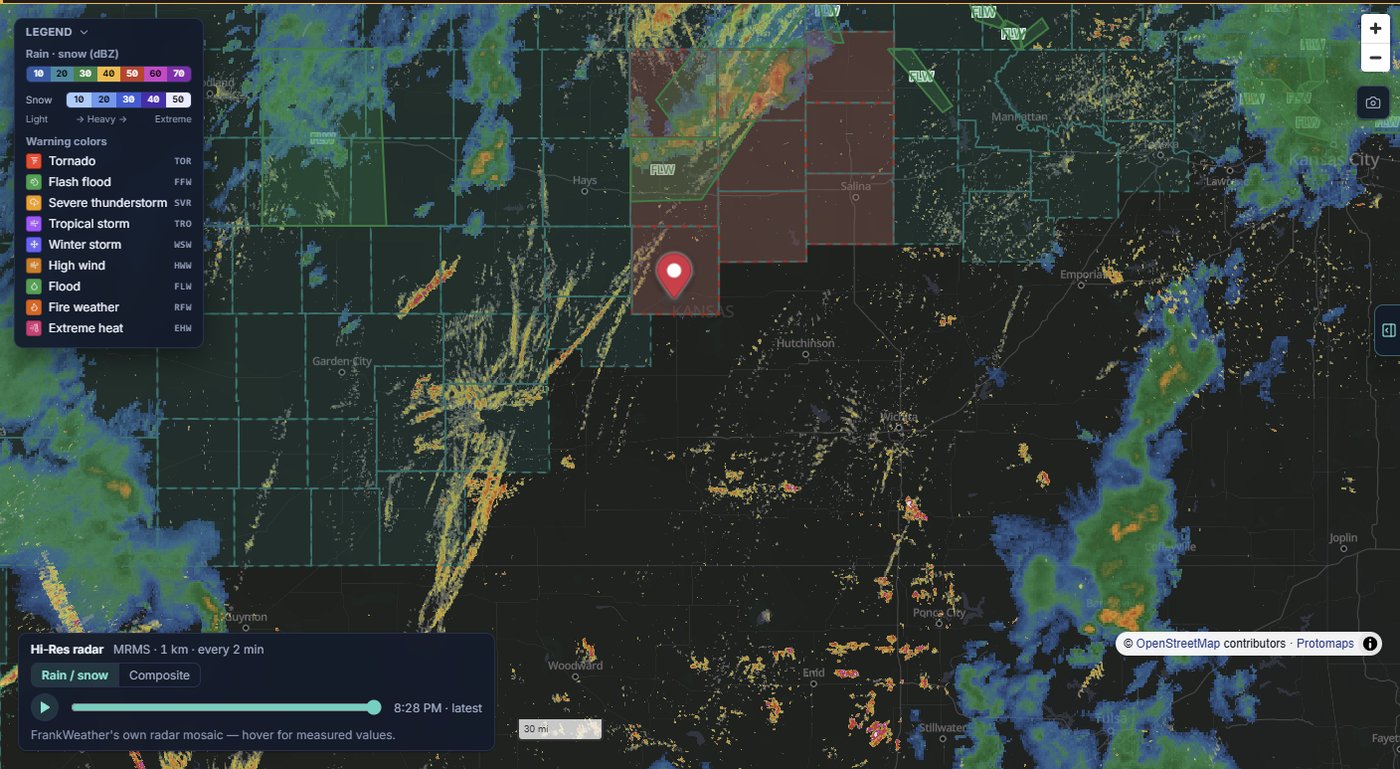
Actual screenshots of FrankWeather 0.42 with live data from September 30, 2026 — a tornado watch over central Kansas. These images are not a live forecast.

Free for everyone. Supported by you.

FrankWeather is free and community-supported. Optional donations help pay for hosting, maintenance, and development. There are no ads or behavioral analytics, and donating does not unlock extra features.

Everything, free

$0

No license key or subscription

  • Hi-Res & super-resolution radar, velocity, dual-pol & radar archive
  • Warnings even when the app is closed + take-cover alarm
  • HRRR, NAM, GFS & ECMWF models, satellite, lightning & SPC outlooks
  • Hail swaths, rotation tracks, storm-cell tracking & every other tool

Download FrankWeather

Free — every feature, no required account. Choose the version made for your device.

Windows 10 / 1164-bit (x64). About 250 MB installed.
macOS 11 or laterAvailable free from the Mac App Store.
iPhone & iPadVersion 0.42 requires iOS or iPadOS 18 or later; compatible earlier releases may remain available through the App Store.
AndroidAvailable free from Google Play.
Internet connectionRequired for live radar, alerts, and provider data.
No required account. No ads.Core locations and settings stay on your device; no behavioral analytics.
Windows v0.47.0 Windows updates are Ed25519-signature-verified Apple and Google store apps update through their stores

Windows note: The installer isn't code-signed yet, so Windows SmartScreen may show a "Windows protected your PC" prompt on first run — click More info → Run anyway. (A signing certificate is what donations fund first.)

Common questions

Is it really free? What's the catch?

Really free — no trial or ads, and no account needed for weather browsing. FrankWeather started as a paid app and was made free because weather safety shouldn't be paywalled. Donations from people who find it useful keep the servers running.

Where does the weather data come from?

Official public sources: the National Weather Service, NOAA's NEXRAD radars and MRMS radar mosaic, GOES-19 satellite, NOAA's HRRR, NAM and GFS models, ECMWF open data (CC BY 4.0), the Storm Prediction Center, the National Hurricane Center, USGS, Open-Meteo, and Blitzortung lightning. FrankWeather processes the radar, satellite and model data on its own servers and your device. The About panel in the app credits every provider.

Why does the radar look sharper than other free apps?

Most apps show pre-colored radar images made by someone else and stretch them as you zoom. FrankWeather reads the radar measurements themselves and draws them on your device's graphics chip: Hi-Res radar is a 1-kilometer national mosaic updated every 2 minutes, and Site radar decodes the nearest radar's own 250-meter scans. It stays crisp when you zoom in, and the value under your cursor is the actual measurement.

Can I rely on it for warnings?

Use it to understand the weather — but never as your only alert source. FrankWeather is a convenience tool built on official feeds; for life-safety, also have NOAA Weather Radio or Wireless Emergency Alerts enabled. The app itself will tell you the same thing.

What does FrankWeather collect about me?

Weather browsing requires no account, and FrankWeather includes no advertising or behavioral analytics. Alerts while the app is closed are optional; turning them on shares your monitored places' coordinates and a device notification address with FrankWeather's alert service, as described in our privacy policy. Core saved locations and settings stay on your device. Live weather requests go to public data providers and, where needed, FrankWeather proxy/cache services; those services can receive ordinary network metadata such as your IP address and requested resource. See the privacy policy for the full, platform-neutral explanation.

Why does Windows SmartScreen warn me on install?

The installer isn't code-signed with a paid certificate yet, so Windows shows its generic "unrecognized app" prompt. Click More info → Run anyway. In-app updates are Ed25519-signature-verified regardless.

A question, a bug, or a bright idea?

Help make FrankWeather better. Get in touch with questions, bug reports, suggestions, or feedback.

Contact FrankWeather